How to Switch Your LIS: A Practical 1-4 Week Migration Plan
How do you switch your LIS?
Here's how to switch LIS systems without disrupting your lab: gather your test menu, providers and interface details, build and verify the new system while your current LIS keeps running, connect your EMR and analyzers, train your staff, and then go live. With a cloud LIS like StratusDX, most labs make the switch in 1 to 4 weeks, depending on how many interfaces and workflows they have.
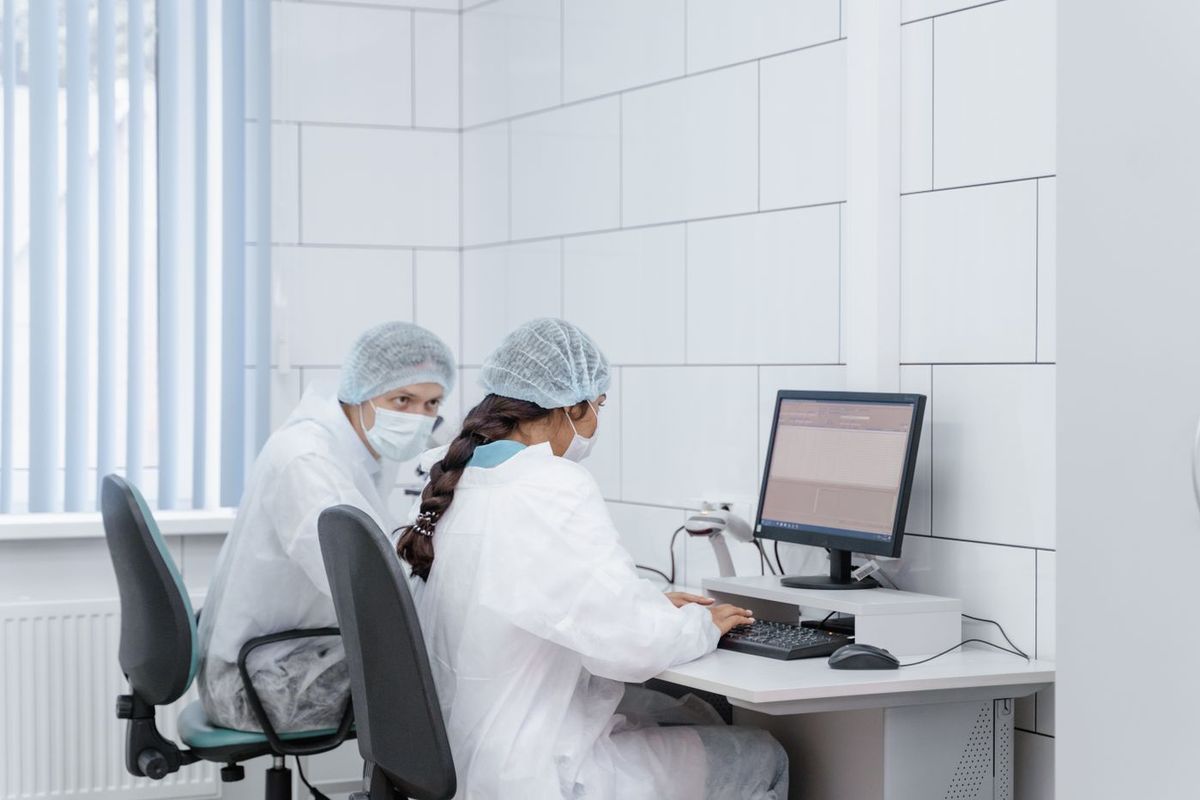
This guide is written for lab directors, lab managers and practice owners at CLIA-waived, moderate-complexity and high-complexity labs, including physician office labs (POLs), urgent care centers, and reference and specialty labs. It covers what actually moves during an LIS migration, a week-by-week timeline, who handles each interface, what to do with past results, and what switching really costs.
Want a price before you plan? Get an instant LIS quote for your lab. StratusDX has $0 setup, $0 training and $0 for unlimited user licenses.
1. Signs It's Time to Switch Your LIS
Most labs don't change systems on a whim. The decision usually follows a pattern of small, growing problems. Common signs include:
- Rising costs for server hardware, upgrades, per-user licenses or support renewals.
- Interface trouble, such as orders that don't cross from the EMR cleanly, or a new analyzer your current vendor can't connect.
- Slow or unreliable support, especially when a problem stops results from reaching providers.
- An aging client-server setup that ties your lab to specific workstations and an on-site server you have to back up yourself.
- Growth, such as adding moderate- or high-complexity testing, new clients or a second location.
If you're still deciding whether to move, our guide on cloud LIS vs. on-premise and how labs decide when to switch walks through that decision. The rest of this article assumes you've decided and want a plan.
2. What Actually Moves in an LIS Migration
"LIS data migration" sounds bigger than it usually is. You aren't moving your whole database byte for byte. You're rebuilding your lab's setup in the new system and bringing over the information needed to keep working. Five things move:
Your test menu
Every test, panel and profile you run, with its units, reference ranges, critical values, specimen requirements, result formats and any calculations or reflex rules. A current test list or compendium export from your old system is the best starting point.
Providers and clients
Ordering providers, client accounts or practices, and how each one receives results (EMR interface, portal, fax or print).
Users
Everyone who logs in, with their roles and permissions. With StratusDX, user licenses are unlimited at no extra cost, so you don't have to decide who "gets a seat."
Interfaces
Your EMR (HL7) connections for orders and results, plus your analyzer interfaces. This is usually the part that sets the pace of the project, so it gets its own section below.
Patient demographics and past results
Patient demographics are imported so your team isn't re-registering patients. Past results are handled differently, and more simply, than most labs expect. See section 5.
3. Week-by-Week Plan: A Typical 1-4 Week LIS Switch
The timeline below shows a typical four-week LIS implementation. A small POL with a short waived test menu and no analyzer interfaces can often finish at the faster end of the range. A lab with several EMRs, multiple analyzers and complex reflex rules will use the full four weeks. Throughout the project, your current LIS stays in place and your lab keeps testing.
Week 1: Kickoff and information gathering
- Hold a kickoff call to confirm your go-live target, your project contact and who signs off on testing.
- Send your test menu, reference ranges, report examples and any reflex or calculation rules.
- List every provider and client, and how each receives results.
- List every interface: EMR name and version, and each analyzer by make and model.
- Contact your EMR vendor to request the interface work on their side and ask about their lead time.
- Export patient demographics from your current system.
Week 2: Build and configure
- StratusDX builds your test menu, panels, reference ranges, report layout and barcode labels.
- Providers, clients and user accounts are set up.
- Patient demographics are imported.
- Analyzer interface work begins, and the EMR interface is configured with your EMR vendor.
- Your lab reviews the test build against your current menu and flags anything that's missing or different.
Week 3: Interfaces and verification
- Send test orders from the EMR and confirm they arrive with the right patient, provider and tests.
- Run samples on each interfaced analyzer and confirm results cross into the LIS correctly.
- Send results back to the EMR and confirm values, units, flags and reference ranges display correctly.
- Check printed and electronic reports against your old reports.
- Document what you tested and who approved it.
Week 4: Training and go-live
- Your staff completes remote training on ordering, accessioning, resulting, QC and reporting.
- Pick a go-live day, often early in the week when volume is predictable.
- Stop new orders in the old system and start them in StratusDX.
- Export past results from the old system to PDF.
- Watch the first days of live traffic closely and report any issues right away.
Printable LIS switch checklist
| Week | Your lab does | StratusDX does | Done when |
|---|---|---|---|
| 1 Kickoff | Sends test menu, providers, user list, interface list and demographics export. Contacts EMR vendor. | Runs kickoff, confirms scope and go-live target, reviews interface list. | All setup information received and EMR vendor engaged. |
| 2 Build | Reviews the test build and report layout and flags gaps. | Builds tests, panels, ranges, reports, labels, providers and users. Imports demographics. Starts interfaces. | Lab signs off on the test build. |
| 3 Verify | Runs test orders and samples, compares reports, documents results. | Completes EMR and analyzer interfaces and fixes anything found in testing. | Orders and results flow correctly end to end, and testing is documented. |
| 4 Go live | Completes training, sets go-live day, exports past results to PDF. | Delivers remote training and supports go-live. | Live orders and results running in StratusDX. |
4. EMR (HL7) and Analyzer Interfaces: Who Does What
Interfaces are where most LIS switch timelines are won or lost, so it helps to be clear about who owns each piece.
EMR interfaces
An EMR interface usually uses HL7 messages: orders come into the LIS from the EMR, and results go back. StratusDX interfaces with all mainstream EMRs and many smaller ones. There are always two sides to an EMR interface:
- StratusDX configures the LIS side, including how tests map to the EMR's order codes and how results are sent back.
- Your EMR vendor enables or builds their side. Some vendors schedule this work weeks out, and some charge a fee for it, so contact them in week 1 and ask about both.
- Your lab confirms that test orders and results look right in both systems before go-live.
For a deeper look, read our LIS and EHR/EMR integration guide or see StratusDX HL7 interfaces.
Analyzer interfaces
Analyzer interfaces send results from your instruments directly into the LIS, which removes manual entry and the transcription errors that come with it. Give StratusDX the make and model of each analyzer early. You can check the StratusDX instrument interface library before you start. Your lab's role is to run samples during verification and confirm the values match what the analyzer produced.
Why verification matters
CLIA requires labs to have systems that ensure results and patient data are sent accurately and reliably from the point of entry to the final report destination (42 CFR 493.1291). Checking your interfaces and reports before go-live, and keeping a record of that check, is how you show it.
5. What to Do With Past Results
One of the most common worries about changing laboratory information systems is losing patient history. You don't need to load every historical result into the new LIS to keep it available. With StratusDX, past results from your old system can be exported to PDFs. You can then:
- Store them locally in your lab, organized so staff can find a patient's history quickly, or
- Attach them in StratusDX, so past reports are available inside the new system alongside new results.
This approach avoids the cost and risk of a full historical data conversion while keeping your records accessible. Keep in mind that CLIA record retention rules (42 CFR 493.1105) still apply to records from your old system, so confirm your exported reports cover the full retention period before you cancel your old system.
6. Validation, Training and Go-Live Day
Does switching LIS require revalidating your tests?
Switching LIS doesn't change your analyzers or test methods, so you generally aren't repeating method validation for each test. What you do need to verify is the new system itself: that orders, results, units, reference ranges, flags, calculations and reports are correct and that data moves accurately through every interface. Your lab director should decide the scope of that verification and sign off on it, and labs that are accredited should check their accrediting organization's requirements for LIS changes.
Training
StratusDX trains your team remotely at $0. Because StratusDX runs in a web browser, there's no software to install on each workstation, and staff can be trained from wherever they work. Plan short sessions by role (front desk and accessioning, testing staff, supervisors) rather than one long session for everyone.
Go-live day
- Choose a day with predictable volume and make sure your key staff are working.
- Set a clear cutover time when new orders move to StratusDX.
- Let providers and clients know the date in advance, especially if anything about ordering or results delivery will look different.
- Keep read-only access to your old system until past results are exported and checked.
- Know how to reach support. StratusDX standard support is Monday to Friday, 8 AM to 7 PM ET, and 24/7 support is available as a paid add-on for labs that need after-hours coverage.
7. The Cost of Switching vs. Keeping Your Current System
Many labs stay with a system they've outgrown because they assume switching will be expensive. With a SaaS cloud LIS, the up-front costs that used to make switching painful are mostly gone. StratusDX is built around the Three Zeros:
- $0 setup
- $0 training
- $0 for unlimited user licenses
There are no servers to buy or maintain. StratusDX is hosted on AWS and Liquid Web, data is encrypted in transit and at rest, backups are redundant, and we sign a BAA on request. You pay one monthly subscription, with plans starting at $250 per month.
Compare that with what you're paying now: support and maintenance renewals, per-user licenses, server replacement, backup tools and IT time. For many labs, switching to a SaaS LIS is more economical than continuing their current system, even in the short term. If your current contract isn't up yet, it can still be worth running the numbers. Physician office labs can see their costs on our POL LIS cost page, and POLs replacing an older system can read our POL LIS replacement guide.
Before you commit to any vendor, see the system with your own workflows. Our LIS demo guide lists the questions worth asking.
Ready to plan your switch? Get an instant LIS quote, or schedule a switch-planning call with our team.
8. Frequently Asked Questions
How long does it take to switch LIS systems?
Most labs switch to StratusDX in 1 to 4 weeks. The timeline depends mainly on how many EMR and analyzer interfaces you need and how complex your test menu and workflows are. Your current system keeps running until you go live, so your lab keeps testing throughout.
Do we have to migrate all historical results into the new LIS?
No. Past results from your old system can be exported to PDFs, which you can store locally or attach in StratusDX. Patient demographics are imported so staff don't have to re-register patients.
Will our EMR interface need to be rebuilt?
Yes, the interface is set up again between your EMR and the new LIS. StratusDX configures the LIS side, and your EMR vendor handles their side. StratusDX interfaces with all mainstream EMRs and many smaller ones. Contact your EMR vendor early to ask about their scheduling and any fees.
Does switching LIS require revalidating our tests?
Because your analyzers and methods don't change, you generally don't repeat method validation. You do need to verify the new LIS: that orders, results, reference ranges, flags, calculations, reports and interfaces work correctly. Your lab director sets the scope and signs off, and accredited labs should follow their accrediting organization's requirements.
What does it cost to switch to a cloud LIS?
With StratusDX, setup is $0, training is $0 and user licenses are unlimited at $0, with no servers to buy. You pay one monthly subscription, with plans starting at $250 per month. Get an instant quote for your lab.