ASTM Instrument Interfaces vs HL7 Interfaces: What Labs Need to Know
What is the difference between an LIS instrument interface and an HL7 interface?
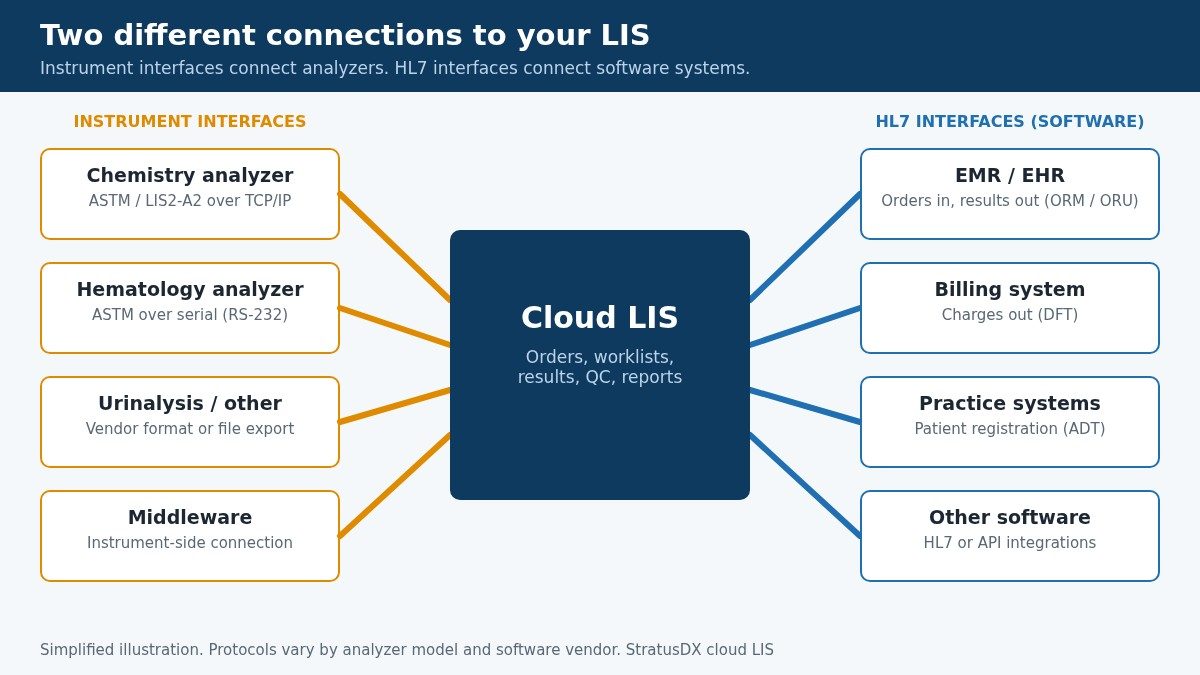
ASTM and HL7 are often mentioned in the same breath, but they connect different things. An LIS instrument interface, most often built on the ASTM standard, connects an analyzer to your laboratory information system so orders reach the instrument and results come back without retyping. An HL7 interface connects software to software: your EMR sends orders to the LIS, the LIS sends results back to the EMR, and the LIS sends charges to billing. If you mix the two up when you talk to a vendor, it's easy to end up with the wrong quote, the wrong timeline or a missing connection. StratusDX, a cloud LIS, builds and supports both kinds.
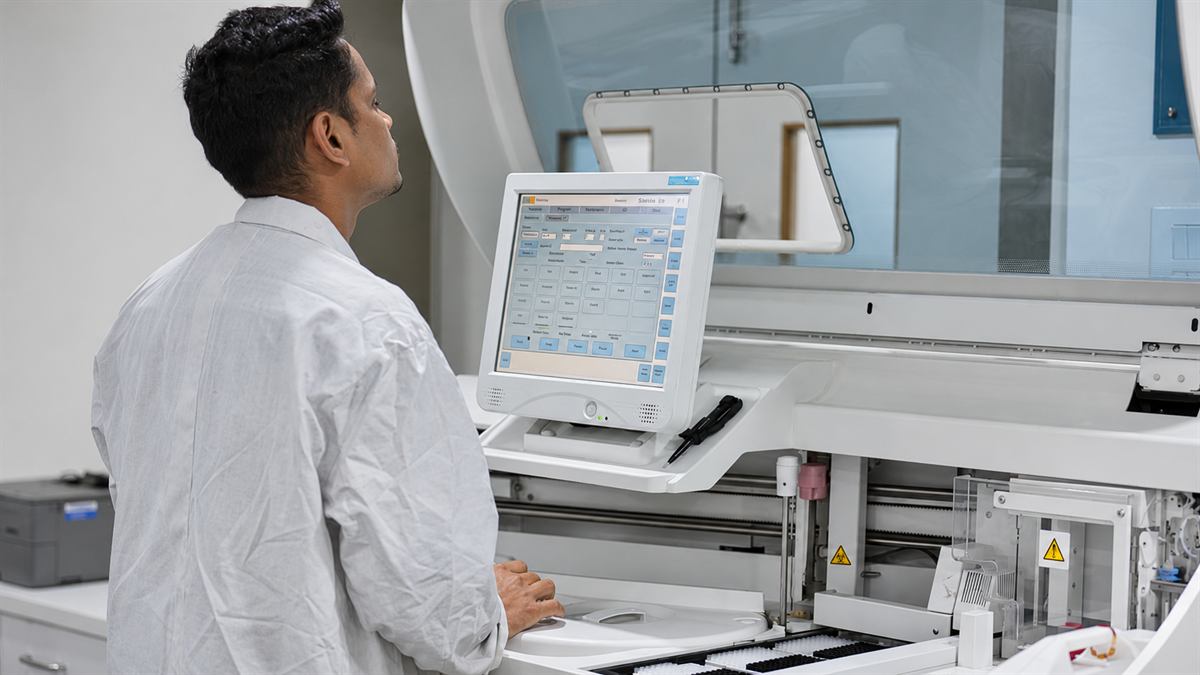
This guide is for lab directors, lab managers and IT staff at CLIA-waived, moderate-complexity and high-complexity labs, including physician office labs (POLs), urgent care, and reference and specialty labs that are adding analyzers or replacing an LIS. StratusDX is a cloud LIS that supports over 300 instrument interfaces as well as HL7 and API integrations with EMR and billing systems, so we see both sides every day.
Adding an analyzer or switching LIS? Check if your analyzers are supported or get an instant LIS quote. StratusDX has $0 setup, $0 training and $0 for unlimited user licenses.
1. Two Different Connections: Instrument Interfaces vs HL7 Interfaces
Every LIS sits in the middle of two kinds of connections:
- Instrument interfaces connect your analyzers (chemistry, hematology, coagulation, urinalysis, immunoassay, molecular, toxicology and others) and any instrument middleware to the LIS. They usually use the ASTM/CLSI standard over a serial cable or a TCP/IP network connection. Some instruments use a manufacturer-specific format or export result files instead.
- HL7 interfaces connect the LIS to other software: EMR/EHR systems, practice management, hospital systems and billing platforms. They carry orders, results, patient demographics and charges between systems.
The two are set up, tested and supported separately. An instrument interface is configured for a specific analyzer make and model. An HL7 interface is configured for a specific EMR or billing vendor. When you scope a project, list them separately: every analyzer by make and model, and every software system by vendor name.
2. How an Analyzer Sends Results to an LIS
A typical instrument interface workflow looks like this:
- Order and label. The test is ordered in the LIS, or arrives from the EMR over an HL7 interface, and the specimen gets a barcode label with its accession number.
- Order to the analyzer. With a bidirectional interface, the analyzer learns which tests to run, either from a downloaded worklist or by asking the LIS when it scans the barcode.
- Testing. The analyzer runs the specimen.
- Results to the LIS. The analyzer sends results, units, flags and often QC data to the LIS over the instrument interface.
- Review and release. Staff review results in the LIS, apply autoverification rules where configured, and release the report.
- Report out. The final report goes to the ordering provider by print, fax, portal or an HL7 interface to the EMR.
Notice that steps 2 through 4 are the instrument interface, while steps 1 and 6 may involve HL7. They are separate links in the same chain.
3. ASTM (CLSI LIS1 and LIS2) Explained
ASTM is the long-standing standard family for instrument interfaces. It was published as ASTM E1381 and E1394 and is now maintained by the Clinical and Laboratory Standards Institute (CLSI) as LIS1 (the low-level transfer) and LIS2 (the message content). Many analyzer manufacturers describe their interface as "ASTM," "LIS2-A2" or "ASTM-like." These are related but not always identical, which is why the manufacturer's interface specification matters.
The low-level transfer (LIS1)
LIS1 describes how bytes move reliably between the instrument and the host. Originally that meant a serial (RS-232) cable. A transfer starts with an ENQ ("may I send?"), the receiver answers ACK, data moves in numbered frames with checksums, each frame is acknowledged, and an EOT ends the session. Many current analyzers carry the same message content over TCP/IP instead of a serial cable.
The message content (LIS2)
LIS2 defines records, each identified by a letter, delimited with characters such as the pipe (|):
- H header, P patient, O order, R result, C comment, Q request (host query), M manufacturer-specific and L terminator.
A simplified ASTM-style result message might look like this:
H|\^&|||Analyzer^1.0|||||||P|1
P|1||PAT001
O|1|ACC10045||^^^GLU|R
R|1|^^^GLU|98|mg/dL|70-99|N||F
L|1|N
Actual field use varies by manufacturer, so each analyzer's interface is configured and verified against its own specification.
4. HL7 v2 Explained: Software-to-Software Interfaces
HL7 (Health Level Seven) version 2 is the standard most US EMRs, LIS platforms and billing systems use to exchange data with each other. It is a software interface standard, not an instrument interface. HL7 v2 messages are made of segments such as MSH (message header), PID (patient), ORC and OBR (order) and OBX (observation or result), usually sent over TCP/IP using the MLLP framing protocol.
Common HL7 message types in a lab:
- ORM or OML: lab orders from the EMR to the LIS.
- ORU: results from the LIS back to the EMR.
- ADT: patient registration and demographic updates.
- DFT: charges from the LIS to a billing system.
A simplified HL7 result segment sent from the LIS to an EMR:
MSH|^~\&|LIS|LAB|EMR|CLINIC|202611160830||ORU^R01|MSG0001|P|2.5.1
OBX|1|NM|2345-7^Glucose^LN||98|mg/dL|70-99|N|||F
StratusDX offers HL7 integrations for order and result import and export with a range of EMR vendors, and API and HL7-based ADT and DFT import and export with billing platforms. For the EMR side in depth, read our HL7 interface guide and the LIS and EMR integration guide.
5. Instrument Interfaces vs HL7 Interfaces: Comparison Table
| Instrument interface (ASTM / CLSI LIS1-LIS2) | HL7 interface (HL7 v2) | |
|---|---|---|
| Connects | Analyzers and instrument middleware to the LIS | Software to software: EMR, billing and practice systems to the LIS |
| Typical data | Worklists, host queries, results, flags, QC | Orders, results, demographics (ADT), charges (DFT) |
| Transport | Serial (RS-232), TCP/IP, or file export, depending on the analyzer | Usually TCP/IP with MLLP; sometimes secure file transfer |
| Message format | Lettered records (H, P, O, R, Q, L), often with manufacturer variations | Segments (MSH, PID, ORC, OBR, OBX) and message types (ORM, ORU, ADT, DFT) |
| Defined by | The analyzer manufacturer's interface specification | The specifications agreed by the LIS and EMR or billing vendors |
| Who you coordinate with | LIS vendor, analyzer manufacturer or distributor, your lab staff | LIS vendor, EMR or billing vendor, the practice |
| How it's verified | Run samples and confirm values, units and flags match the analyzer | Send test orders and results and confirm they appear correctly in both systems |
6. Unidirectional vs Bidirectional Interfaces
Instrument interfaces come in two basic styles:
- Unidirectional. Results flow one way, from the analyzer to the LIS. Staff program the tests at the instrument, then results upload automatically. This is common on smaller analyzers and still removes result transcription.
- Bidirectional. Orders and results flow both ways. In batch or worklist mode, the LIS downloads pending orders to the analyzer. In host query mode, the analyzer scans the specimen barcode, asks the LIS what to run (the Q record in ASTM), and the LIS answers with the ordered tests.
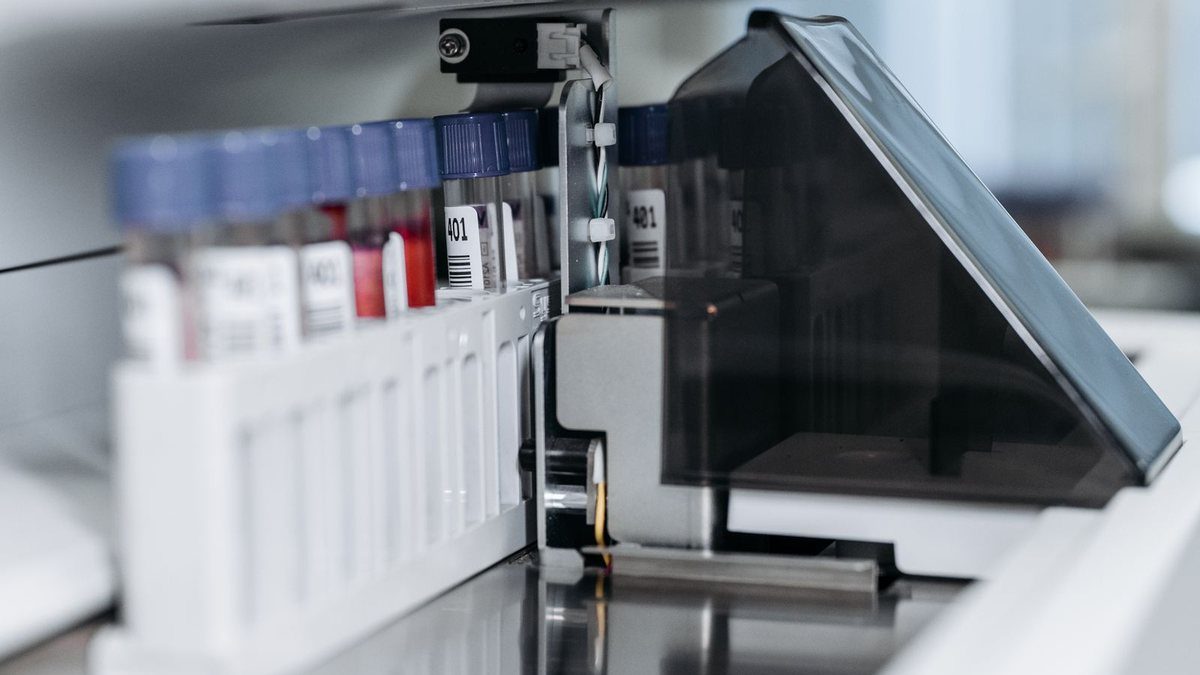
Bidirectional interfaces cut manual order entry at the analyzer and reduce the chance of running the wrong test on a specimen, but they depend on consistent barcode labeling and on the analyzer supporting the mode. Ask which modes your analyzer model supports before you plan the workflow.
7. Serial, TCP/IP and File-Based Connections in a Cloud LIS
How an analyzer physically connects depends on the instrument:
- Serial (RS-232). Older and many benchtop analyzers use a serial port. The cable connects to a nearby computer or a serial-to-network converter.
- TCP/IP. Most newer analyzers connect over the lab's network, with the instrument or the host acting as the client or server according to the specification.
- File-based. Some instruments, including certain molecular and mass spectrometry systems, export result files (often CSV or text) that are picked up and imported into the LIS.
With a cloud LIS, the LIS runs in a secure data center rather than on a server in your lab, so the analyzer's connection has to reach it over the internet securely. StratusDX installs a lightweight application called Instrument Manager on a local computer in the lab that is connected to the analyzers. Instrument Manager is the transport mechanism that securely connects to StratusDX's cloud servers, so lab technicians can review and verify the data in the StratusDX LIS. Instrument Manager is a transport application, not the LIS. StratusDX always hosts the LIS itself; the LIS is never installed on your servers.
StratusDX hosts its system on AWS and Liquid Web, with encryption in transit and at rest and redundant backups, and it signs a BAA on request. The physical connection method for each analyzer — serial, TCP/IP or file — is confirmed during setup. If you're weighing hosting models, see our cloud LIS overview.
8. Questions to Ask Your LIS Vendor About Instrument Interfaces
Bring your analyzer list to the conversation and ask:
- Is each of my analyzers already in your instrument interface library? Give the make, model and software version.
- Unidirectional or bidirectional? Which modes will you support for each analyzer, and does that include host query?
- How will each analyzer connect? Serial, TCP/IP or file, and what hardware, if any, does the lab need to provide?
- Do you handle QC results? Can QC data cross the interface into the LIS quality control tools?
- Who does the work? What does the vendor configure, what does the analyzer manufacturer provide, and what verification does our staff do?
- Is there a per-interface fee? Ask how instrument interfaces and HL7 interfaces are each priced.
- Who supports the interface after go-live? Ask about support hours and escalation.
- Which HL7 interfaces do I need? Keep the EMR and billing list separate from the analyzer list.
StratusDX standard support runs Monday through Friday, 8 AM to 7 PM ET, with 24/7 support available as a paid add-on. Most labs switch to StratusDX in 1-4 weeks. POLs can also read EMR and instrument interfaces for a POL, and labs planning a move can follow how to switch LIS systems.
Find out if your analyzers are supported: see the instrument interface library or send us your analyzer list. Get an instant LIS quote. Call 888-585-5695 or email info@stratusdx.com.
9. FAQ
What is the difference between ASTM and HL7?
They do different jobs. ASTM (today maintained by CLSI as LIS1 and LIS2) is the common standard for instrument interfaces, the connection between an analyzer and the LIS. HL7 is a standard for software-to-software interfaces, such as an EMR sending orders to the LIS, the LIS sending results back to the EMR, or the LIS sending charges to a billing system. An analyzer connection is an instrument interface, not an HL7 interface.
What is a bidirectional analyzer interface?
In a bidirectional interface, the analyzer and the LIS exchange information both ways. The LIS sends the analyzer the tests ordered for each specimen, either by downloading a worklist or by answering a host query when the analyzer scans a barcode, and the analyzer sends results back. A unidirectional interface only sends results from the analyzer to the LIS, so orders are entered at the instrument by hand.
Can a cloud LIS connect to analyzers in my lab?
Yes. A cloud LIS connects to analyzers through instrument interfaces, just as an on-premise system does. StratusDX installs a lightweight application called Instrument Manager on a local lab computer connected to the analyzers. Instrument Manager securely transports results to StratusDX's cloud servers, where lab technicians review and verify them in the StratusDX LIS. StratusDX supports over 300 instrument interfaces and always hosts the LIS itself on AWS and Liquid Web. Instrument Manager is a transport application, not the LIS, so the LIS is never installed on your servers.
How long does it take to set up a new instrument interface?
It depends on whether the analyzer is already in the LIS vendor's interface library, how complete the manufacturer's interface specification is, and how quickly your lab can run verification samples. Most labs switch to StratusDX in 1-4 weeks, including their interfaces. Ask for a timeline for each analyzer by make and model.
Does the lab or the vendor choose the interface protocol?
Usually neither the lab nor the LIS vendor chooses it freely. The analyzer manufacturer defines what the instrument supports in its interface specification (for example ASTM over serial or TCP/IP, or a file export), and the LIS vendor builds the instrument interface to match. For HL7 interfaces, the LIS vendor and the EMR or billing vendor agree on the HL7 version and message specification.